


Aviator Assistant - Pilot App
4.638.00 Reviews
App Specs
- Version
- 4.1.0
- Updated On
- License
- Free
- Downloads
- 100,000+
- Developer
- Aviator Assistant
- Categories
- Weather
- Platform
- Android, iOS
Screenshots
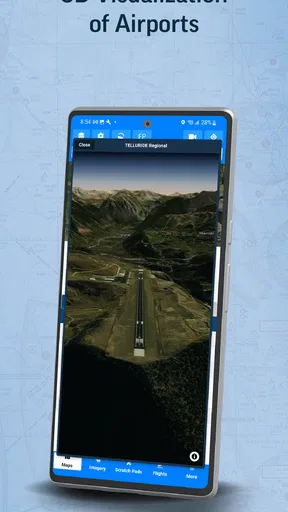
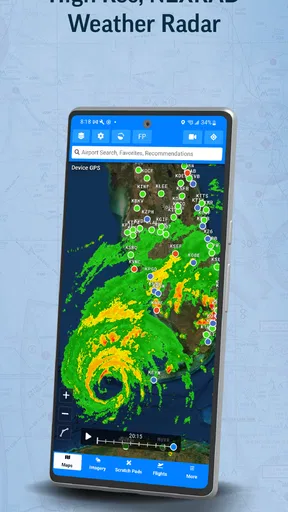
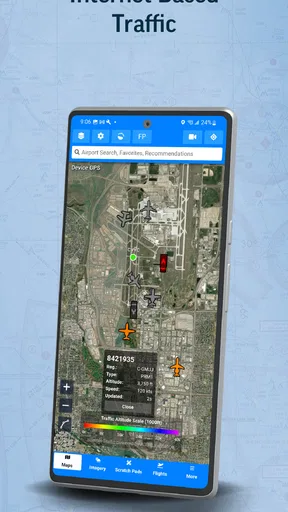
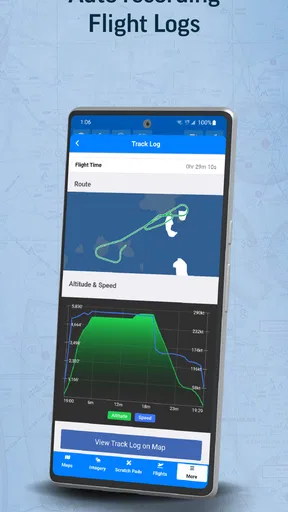
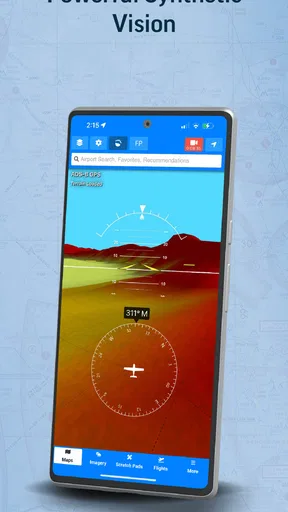
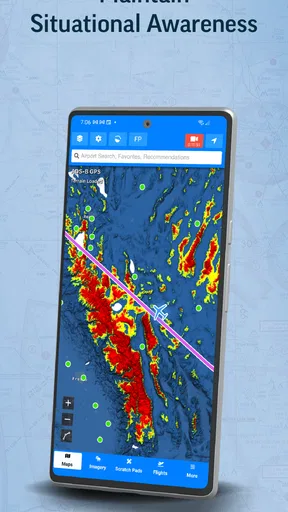
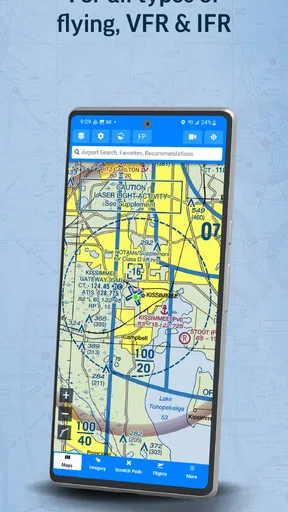
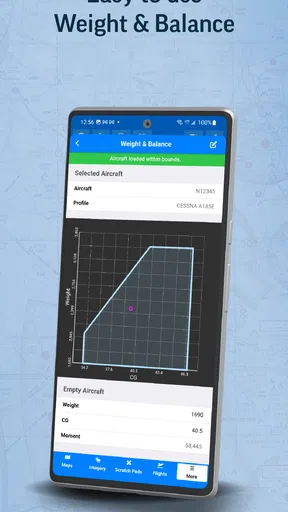
 Analysis by AppCompare
I judge flight-planning tools by a practical question: can I find what I need without adding confusion to a task that already demands attention? Aviator Assistant is aimed at pilots, but its subject matter may also appeal to people learning about aviation. Its usefulness depends less on curiosity alone than on how comfortably you can interpret aviation information and fit it into your own routine.
Readability and finding your way around
For a weather app built around flying, clear navigation matters as much as the amount of information available. I would approach its screens with a specific task in mind—checking conditions, reviewing a route, or working through preparation—rather than browsing every option at once. That makes it easier to notice whether the information is understandable to you and whether the app suits the way you plan.
Aviation weather terms can be unfamiliar even to people who use general forecasts every day. METARs and TAFs, for example, are not simply decorative details; a beginner needs to learn what they mean before relying on them. I would take time to understand each field and compare it with trusted learning material, instead of treating a compact display as self-explanatory.
How it fits different abilities and situations
People vary in how they read, navigate, and respond to information. A screen that feels straightforward in a quiet room may be harder to use when someone is tired, distracted, or working under time pressure. If you have low vision, reading fatigue, or a preference for larger text and stronger contrast, check the app on your own device before making it part of a routine. Comfort is personal, and an interface that works well for one pilot may not work equally well for another.
Motor and sensory needs also affect whether an app is practical. Precise taps, small controls, visual alerts, or a busy screen can be barriers for some people, particularly when conditions are less than ideal. I would explore the interface while stationary and see whether ordinary phone settings—such as larger text or display contrast—help without obscuring important information. I would not try to learn unfamiliar controls in the middle of a flight task.
Use it where it helps, not where it distracts
A useful workflow is to review weather and route details before departure, while you have time to think and cross-check. If a forecast prompts a question, investigate it on the ground rather than trying to resolve it while attention belongs elsewhere. The same principle applies to checklists: they can support a consistent routine, but they do not replace training, approved procedures, or a pilot’s responsibility to make sound decisions.
For an aviation enthusiast, the appeal may be educational rather than operational. Looking up weather terminology at home can make aviation reports less mysterious and help connect forecast language with the conditions a pilot considers. That is a different use from relying on an app for flight decisions, and keeping the distinction clear helps prevent casual exploration from turning into misplaced confidence.
Worth Reading Before You Choose

EA SPORTS FC Mobile 26 Is a Bigger Football Game, but It Takes Time

Flipboard Shows What News Apps Must Do Beyond the Feed

Switching to Android Auto Means Rethinking Your Driving Routine

Google Calendar Makes a Crowded Week Easier to Manage

Ludo King Makes the Most of the Minutes Between Plans

Baby Panda World Brings Quick Play to Modern Phones, but Its Game Library Feels Busy
What to keep in mind before relying on it
I would treat any mobile aviation tool as one part of preparation, not as a substitute for official sources, required equipment, or established flight procedures. Phone reception, battery life, screen visibility, and the limits of a handset can all affect usefulness. A sensible habit is to check the relevant information ahead of time, keep an appropriate backup, and follow the procedures that apply to the flight.
If you are new to flying, the learning curve may be more about understanding the information than learning where to tap. If you already have a well-tested planning workflow, another app is worthwhile only if it fits that workflow without creating duplicate checks or uncertainty. The right choice is the one you can use confidently and safely, not simply the one with the most aviation terminology on screen.
Ever found yourself dreaming of soaring through the skies? Well, even if you're not a licensed pilot, the Aviator Assistant app might just be your ticket to experiencing a slice of that high-flying life. This app is designed for pilots, but it’s also a treasure trove for aviation enthusiasts or anyone curious about what goes on in the cockpit.
The Cockpit Companion
The Aviator Assistant is like having a co-pilot right in your pocket. From the moment you open the app, you’re greeted with a sleek, user-friendly interface. It's packed with features that are incredibly useful for both seasoned pilots and newbies alike. The developers clearly put a lot of thought into making the app intuitive and easy to navigate.
Features That Soar
One of the standout features is the real-time flight tracking. You can track your flights, monitor airspeed, altitude, and even get weather updates. It’s like having a mini air traffic control system at your fingertips. The app leverages GPS technology to provide accurate data, ensuring you’re always in the loop.
The flight planning tool is another gem. It allows you to plan your route with precision, taking into account various factors like weather conditions and airspace restrictions. The app also offers a handy checklist feature to ensure you don't miss any pre-flight inspections.
Weather Wizardry
Weather can be unpredictable, but with the Aviator Assistant, you’re never caught off guard. The app provides detailed weather forecasts, including METARs and TAFs, which are essential for flight planning. You can easily check visibility, wind speeds, and any potential weather hazards that might affect your flight path.
For anyone who’s ever been fascinated by the science of meteorology, this feature is a deep dive into the complexities of aviation weather.
The Learning Curve
If you're not a pilot, the app might seem a bit overwhelming at first. However, it offers a comprehensive tutorial section that helps you get up to speed. The tutorials are well-crafted and provide a solid foundation in understanding aviation basics. So, whether you’re a student pilot or just someone interested in aviation, these tutorials are a great way to learn.
Moreover, the community aspect of the app is something that shouldn’t be overlooked. You can connect with other aviation enthusiasts and pilots, exchanging tips and experiences. It’s a fantastic feature that makes the app more than just a tool; it becomes a hub for shared passion and knowledge.
Sky-High Performance
Performance-wise, the app runs smoothly without any noticeable lag. It’s compatible with both Android and iOS, ensuring a wide range of users can enjoy its offerings. Updates are regular, and the developers are responsive to feedback, which is always a plus.
The design is sleek, with a modern aesthetic that complements its functionality. Icons are clear, and the color scheme is easy on the eyes, making long sessions on the app a breeze.
Choosing it for your kind of flying
As a weather app made by Aviator Assistant, this is more specialized than the general forecast tools I reach for when deciding whether to carry an umbrella. Its aviation focus is useful when the question is not simply whether rain is expected, but how weather information fits into route planning and a pilot’s preparation. A standard weather app is often easier for a quick glance at local conditions; this one makes more sense when aviation context is the point.
That distinction matters in an everyday scenario. Imagine planning a weekend flight and checking the forecast the evening before. I would use the aviation reports to identify conditions worth investigating, note questions for a more authoritative briefing, and then revisit the decision before departure. The advantage is a more flight-oriented view; the trade-off is that reports designed for pilots can take more effort to interpret than a simple icon showing sun or rain.
For a student pilot, the app’s planning and checklist approach may help create a repeatable preparation habit: review the route, examine weather, and work through the checks in a deliberate order. I would still compare any route or weather information against the sources and procedures required for the flight. A checklist is most helpful when it supports a trained process, not when it becomes a reason to assume nothing has been missed.
Practical checks before making it part of a routine
One useful way to evaluate the app is to try it on a low-pressure day before depending on it for a real departure. Work through a sample planning session while stationary, and see whether the weather details, route workflow, and checklist feel clear together. This reveals a less obvious trade-off: having several aviation functions in one place can save switching between tools, but only if you understand how each part relates to the decisions you need to make.
It is also worth deciding in advance what you will do if your phone becomes unavailable. A device can run out of power, lose connectivity, or become difficult to read in bright light. I would not make the phone the only place where essential planning information lives. Keeping a suitable backup and knowing the applicable procedures are more important than convenience, especially for anyone using the app operationally.
People who prefer spoken guidance, need particularly large controls, or find dense technical text tiring should test it carefully on their own device. The app may still be useful, but comfort should be judged in the conditions where it will actually be used. If navigation feels fiddly or the reports remain hard to read after adjusting device settings, a simpler forecast tool for casual interest—or another planning resource that better matches your needs—may be the better choice.
Who is likely to get the most from it?
I see the strongest fit for pilots and student pilots who want an aviation-focused place to work through weather and planning, and for enthusiasts willing to learn the language rather than expecting a beginner-friendly local forecast. Someone who only wants a quick answer about today’s temperature will probably find a conventional weather app more direct. Someone making flight decisions should treat this as a supporting tool and keep training, official information, and established procedures at the center.
The app is free to install, though in-app purchases range from $9.99 to $89.99 per item, so I would check what is included before committing to a purchase. It is rated for Everyone and has an average rating of 4.6 from around 380 ratings, with over 100,000 installs. Those figures suggest that it has found an audience, but they cannot tell you whether its layout or aviation workflow suits your particular needs.
Inclusive verdict
Overall, I find the idea most compelling when the user already has a reason to work with aviation weather and wants a phone-based companion for preparation or learning. Its technical focus is also its main access challenge: useful detail can become difficult detail when someone is new to METARs and TAFs, is working under pressure, or needs a different visual or motor interaction. I would explore it in a calm setting first and keep it only if it makes preparation clearer rather than busier.
The current version is 4.1.0, and the app was released on May 22, 2021; it requires Android 5.1 or later. Those basics make it straightforward to check whether an Android device can run it, while the free entry point lets a curious user assess the fit before considering purchases. My recommendation is conditional but positive: it is worth exploring for aviation-minded users who can interpret its information, while casual weather checkers and anyone seeking a replacement for formal flight resources should choose a simpler or more authoritative option for their needs.
Final Thoughts
In conclusion, the Aviator Assistant is more than just an app; it’s an experience. Whether you’re a pilot looking for a reliable tool or an aviation enthusiast eager to learn, this app has something for everyone. It combines functionality with a community-driven approach, making it an essential download for anyone with a love for the skies.
So, if you’ve ever wanted to know what it feels like to be in the cockpit, give the Aviator Assistant a spin. It might not get you a pilot’s license, but it sure will get you closer to the action.
Pros
- Intuitive user interface for quick navigation.
- Real-time weather updates enhance safety.
- Flight planning tools save valuable time.
- Offline access to essential flight data.
- Customizable features for personalized experience.
Cons
- Requires premium subscription for full features.
- Limited compatibility with older devices.
- Occasional sync issues with external devices.
- Battery drain due to continuous GPS use.
- Initial setup can be time-consuming.
FAQs for Aviator Assistant - Pilot App
What features does Aviator Assistant offer to enhance flight planning?
Aviator Assistant provides a comprehensive suite of tools for flight planning, including weather updates, navigation charts, and route optimization. The app integrates real-time data to ensure pilots have the latest information for safe and efficient flights. Users can also customize their dashboards for quick access to preferred tools.
Is Aviator Assistant suitable for both beginner and experienced pilots?
Yes, Aviator Assistant is designed to cater to both novice and seasoned pilots. The app offers user-friendly interfaces and tutorials for beginners, while also providing advanced features like autopilot integration and detailed analytics for experienced aviators. This makes it a versatile tool for a wide range of users.
How does Aviator Assistant ensure data accuracy and reliability?
Aviator Assistant sources its data from trusted aviation authorities and real-time satellite feeds. The app undergoes regular updates to incorporate the latest technological advancements and regulatory changes. Additionally, rigorous testing and user feedback loops help maintain high standards of accuracy and reliability.
Can Aviator Assistant be used offline, and what are its limitations?
Aviator Assistant offers offline functionality for essential features like navigation charts and saved flight plans. However, real-time updates such as weather conditions and air traffic information require an internet connection. Users are advised to download necessary data ahead of time when planning to fly in areas with limited connectivity.
What devices are compatible with Aviator Assistant, and is there a cost?
Aviator Assistant is available for both Android and iOS devices, ensuring broad compatibility across smartphones and tablets. The app offers a free version with basic features, while premium subscriptions unlock advanced functionalities. It's recommended to check specific device requirements and pricing plans on the app store before downloading.


